What this is
Danbooru publishes its tag implications through an API, one page at a time. Tools that need the graph usually crawl outward from a tag they care about — which works, but can only ever see a neighbourhood, and quietly misses anything reachable by a route it didn't take.
This project takes the other approach: it downloads the entire tag_implications
and tag_aliases tables once, by keyset pagination, and keeps every row including the
deleted and retired ones. After that there is nothing left to crawl. For any tag, the explorer shows
every active implication touching it that existed on the site at sync time — that is a property of
how the data was fetched, not a claim about how thorough the crawl was.
The result is baked into a single HTML file with the whole graph embedded in it. You can put it on a USB stick. It works on a plane. Nothing is fetched while you use it, and nothing is bundled from a CDN.
Five ways to read one graph
Everything hangs off one selection. Pick a tag anywhere — search it, click a dot, click a treemap tile, click a row in an outline — and all five views follow it. Each answers a different question about the same thing, from the whole forest down to a single edge.
1Landscape — where does a tag sit?
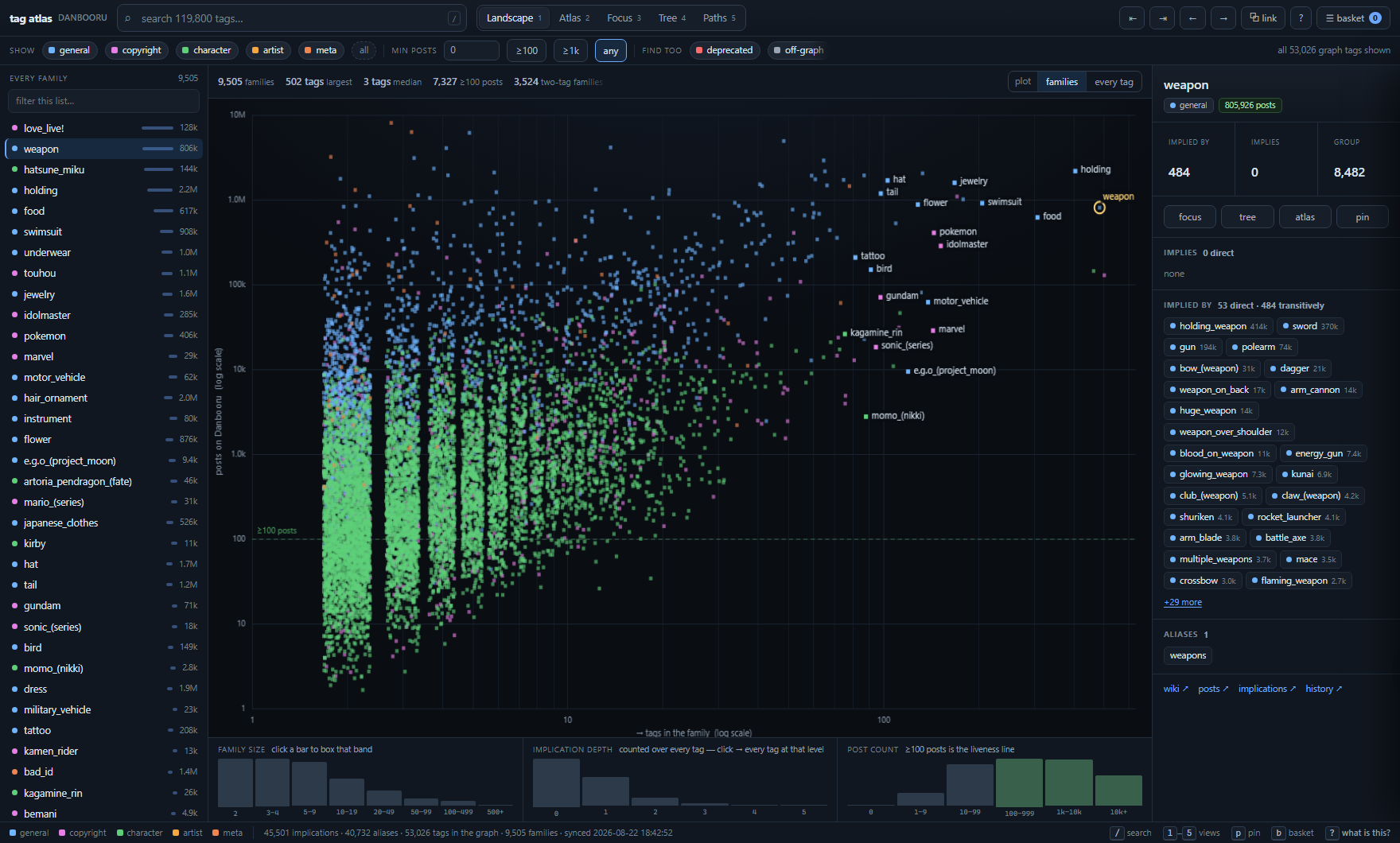
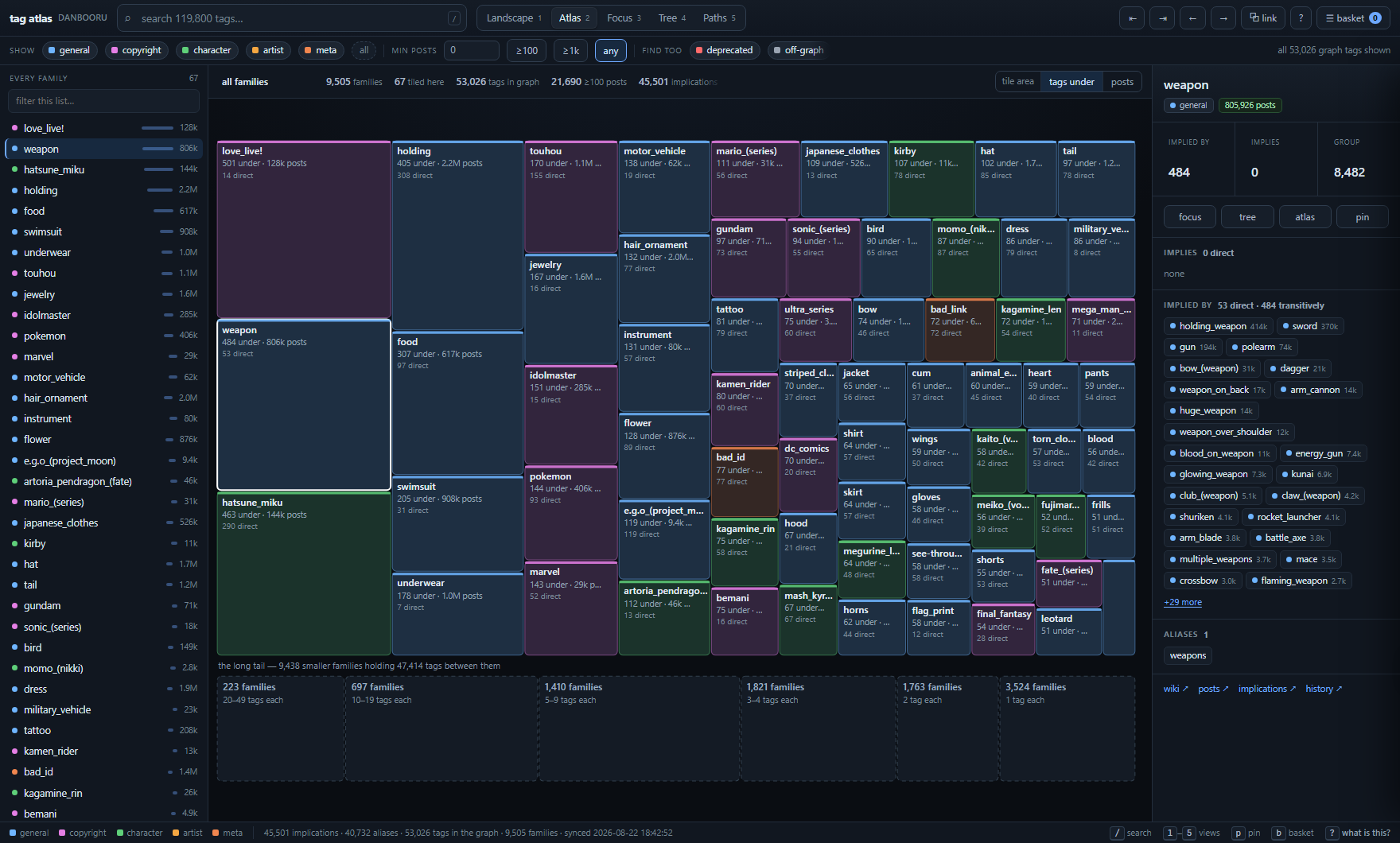
The only view that shows the shape of the dataset — the long tail, the live band, the handful of outliers, all at once. Just 67 families carry 50 or more tags, so any treemap of families hides the other 9,438 entirely. Drag a box to pull a region into the rail; the three histograms below profile the same population by size, depth and post count, and every bar is clickable.
2Atlas — which families are big?
3Focus — what sits around this tag?
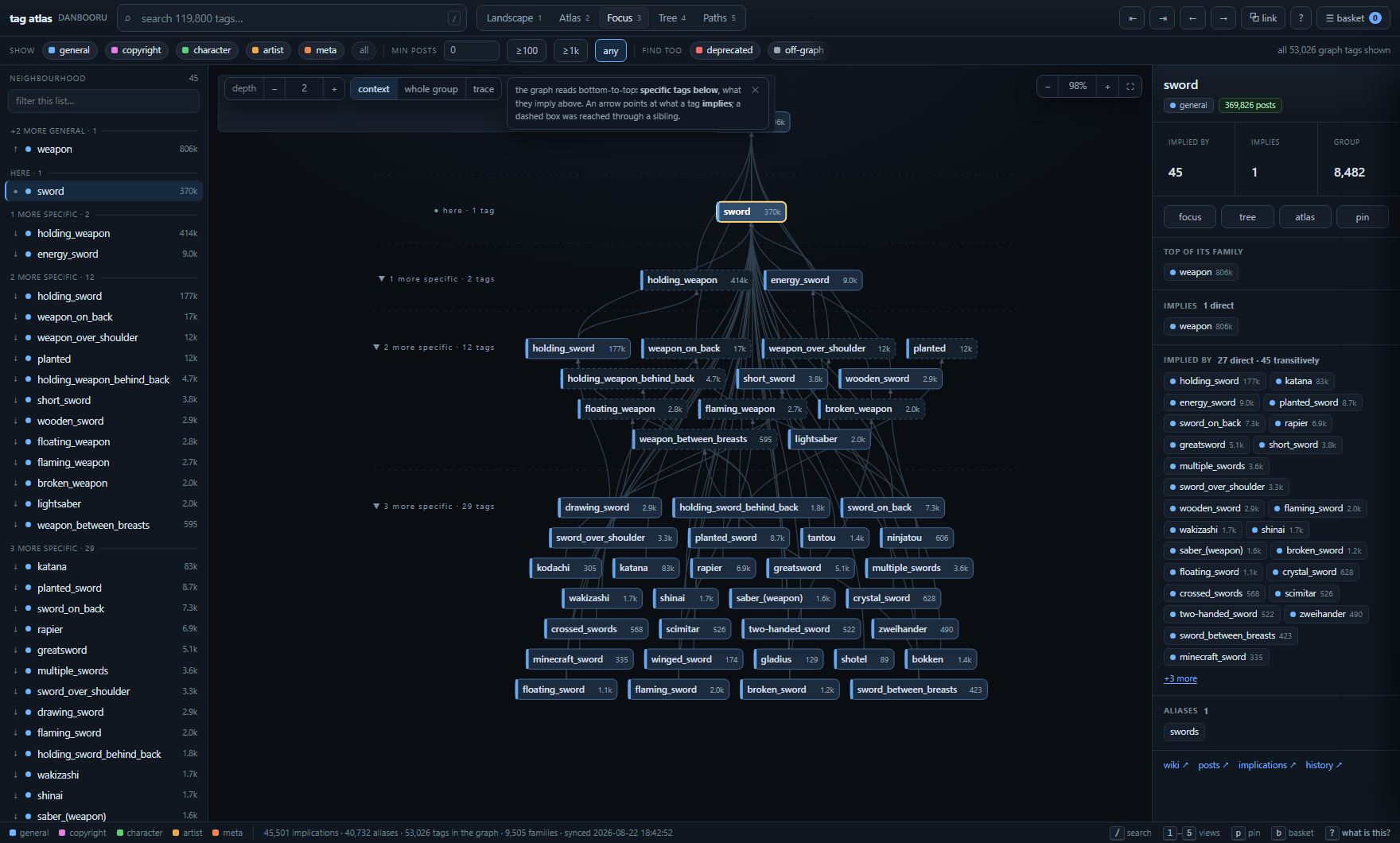
Bands are longest-path height relative to the centre, not hop count. Because the graph is
acyclic, that guarantees every arrow points strictly upward and no tag ever shares a band with
something it implies. Hop-count banding fails here: centre on hammer and
weapon — one hop from a child of hammer — lands in hammer's own row.
4Tree — everything under this tag
5Paths — how do two tags relate?
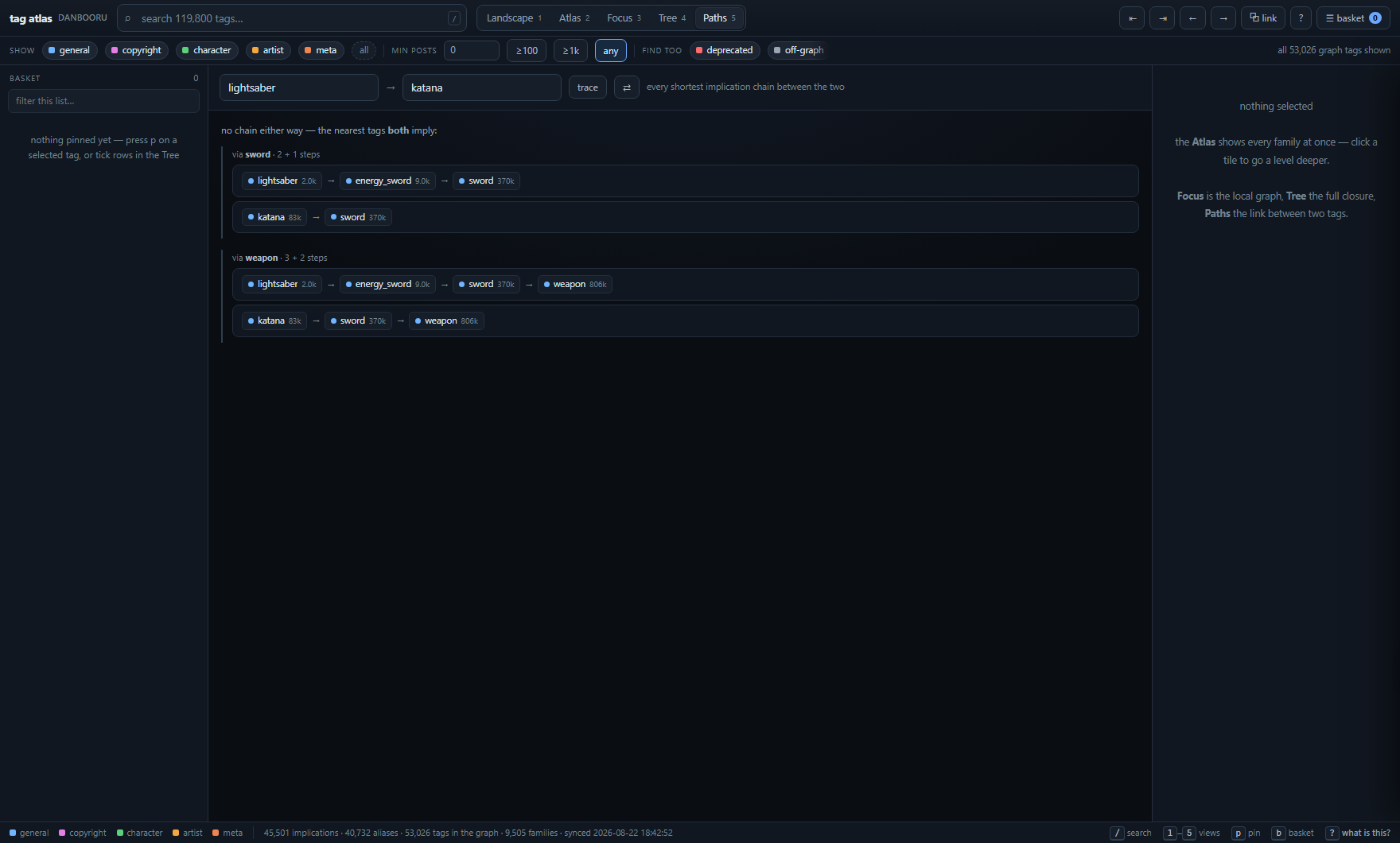
That fallback is usually the more interesting answer. lightsaber and
katana never imply one another, but they meet two steps up at sword, and
three steps up at weapon. It tells you where in the graph two unrelated-looking tags
finally converge.
The dataset
Six tables, no surprises. Download danbooru_implications.db
and query it with anything that speaks SQLite.
| table | what's in it |
|---|---|
| implications | (id, a, b, status) — the complete site table, active and deleted alike |
| aliases | (id, a, b, status) — the complete site table |
| tags_all | (name, id, post_count, category, is_deprecated) for every name in either graph |
| wiki | (title, body), cached on demand |
| overrides | manual corrections, layered on at build time — synced data is never mutated |
| sync_state | id watermarks, timestamps, API call counts |
python -c "import sqlite3; c = sqlite3.connect('danbooru_implications.db'); \
print(c.execute(\"select a, b from implications where b='hammer' and status='active'\").fetchall())"
One quirk worth knowing. 691 tags carry is_deprecated=1, and 303 of them appear
in some implication row — but every one of those rows is deleted. Danbooru retires the
implications when it deprecates a tag, so every "deprecated" counter over the active graph reads
zero by construction. That is the dataset, not a bug in the reader.
Run it yourself
The whole toolchain is one Python file with no third-party dependencies — standard library only, Python 3.11 or newer. The database ships with the repository and is current as of 2026-08-22, so a cold sync is never needed to get started.
git clone https://github.com/grio43/danbooru-implication-map
cd danbooru-implication-map

start.bat                                       # Windows: build if needed, then open

python -X utf8 implications_tool.py status      # what's in the DB
python -X utf8 implications_tool.py sync        # incremental pull from Danbooru
python -X utf8 implications_tool.py explorer -o danbooru_explorer.html
python -X utf8 implications_tool.py build hammer   # one-tag radial map
The explorer itself needs nothing installed at all — it is one HTML file, and every browser already has what it takes to open it.